Movement System and Traversal Guide
The movement system in Aero by Noctornal Studio connects four primary actions: sprinting, sliding, wall running, and mantling. Players build speed by sliding down sloped terrain and chaining slide-jumps across flat surfaces. Mastering how these inputs transition into one another allows you to cross match arenas efficiently without losing momentum.
Core Traversal Actions
Every match relies on four confirmed traversal mechanics documented in the official game description. You can initiate a sprint to increase base walking speed, transition into a ground slide, attach to vertical surfaces for a wall run, or mantle over ledges to reach higher floors. Because Roblox distributes Aero across different devices, the exact button prompts depend on your active hardware profile.
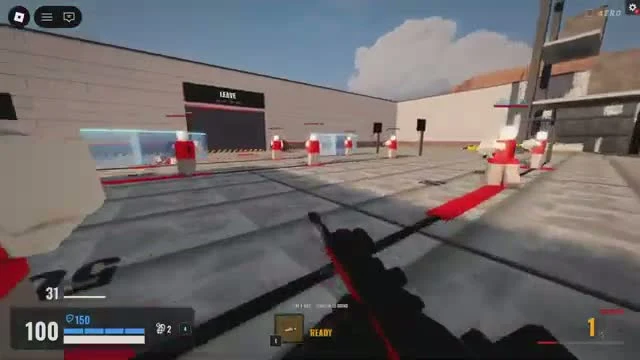
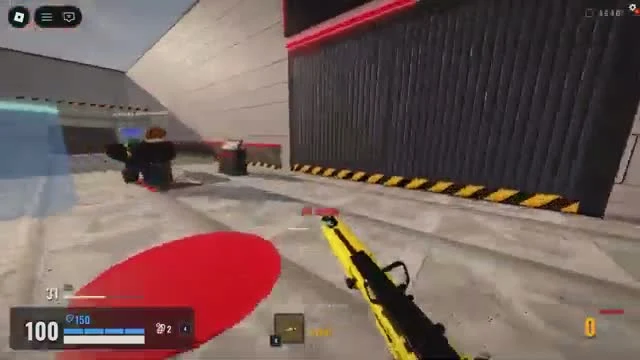
Check the control prompts before practising a sequence. In the 23 November recording, the player crosses the grey courtyard beside the raised blue barrier at 00:00:44, then reaches the dark wall and open passage at 00:00:46. These adjacent views show the route and nearby surfaces; they do not establish which movement input was pressed.
Sliding and Downhill Momentum
Sliding in Aero is an active speed builder rather than a simple posture change. According to official mechanic notes, entering a slide while traveling downhill increases your forward acceleration. Whenever you spawn into an arena, scan the layout for ramps, staircases, and sloped terrain that allow you to build velocity without spending class abilities.
To keep the speed gained from a slope, transition directly into a slide-jump chain. The movement system is specifically designed so players can link a slide into a jump and immediately prepare the next landing slide. Change one input at a time and compare the resulting animation with a plain jump. The official notes confirm chaining but do not specify a universal timing window.
Wall Running and Mantling
Vertical traversal connects ground slides to elevated walkways through wall running and mantling. Check the control prompts before testing a wall run against a suitable surface. The official listing names wall running but leaves its input sequence and surface restrictions unspecified. Test mantling separately at a reachable ledge so you can recognize its animation before combining it with another movement action.
- Start a sprint toward a sloped surface or clear corridor to build initial speed.
- Enter a slide on downward inclines to trigger downhill acceleration.
- Chain a jump out of the slide to preserve momentum across open ground.
- Check the displayed wall-run input and test it on a suitable wall before adding it to a chain.
- Finish the sequence by mantling over the top ledge onto elevated map geometry.
Combining Movement with Class Abilities
The class you equip adds an ability to the four movement actions described by the developer. Grapple, launch, portal and shield are examples listed for Aero, but the official description does not explain every interaction with a wall run or a slide. Read the available ability description and its current input prompt before combining it with another action. Test the ability once by itself so you can recognize its visible effect.
Then compare a simple movement sequence with the same sequence followed by that ability. Check where the avatar finishes and whether your next input registers; avoid assuming that a faster-looking animation guarantees the same landing speed. Change one action per attempt so you can tell which input affected the result. Exact momentum values and timing windows remain unverified, so this guide gives an input-checking sequence without assigning numerical targets.